


Teaching Strategies Family
3.0108.00 Reviews
App Specs
- Version
- 16.7.20
- Updated On
- License
- Free
- Downloads
- 100,000+
- Developer
- Teaching Strategies, LLC
- Categories
- Education
- Platform
- Android
Screenshots
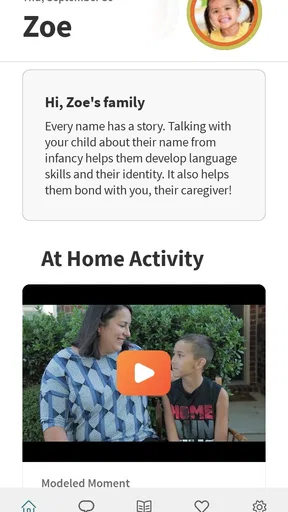
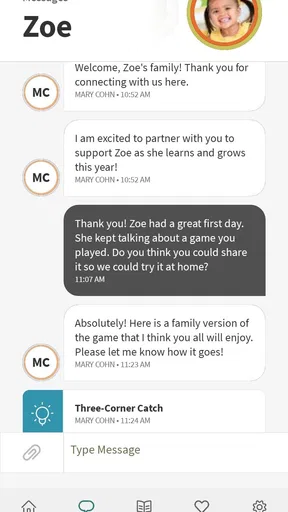
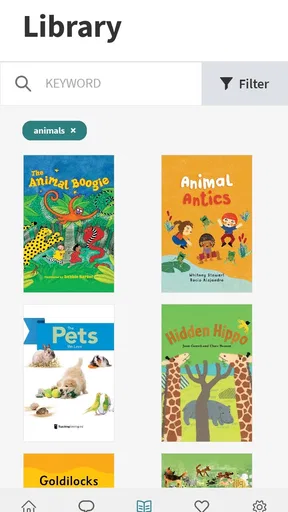
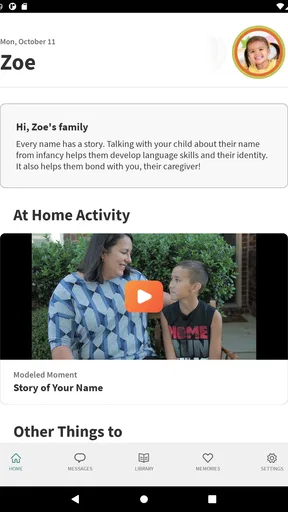
 Analysis by AppCompare
I approached Teaching Strategies Family as a parent-facing education app whose main job is to make communication with a child’s teachers and caregivers easier. That focus matters. It is not trying to replace classroom learning, turn family life into a lesson plan, or compete with a full school-management system. Instead, it sits in the space between home and early education, where small updates, shared observations, and timely conversations can help adults understand a child more consistently.
In my experience, that makes the app most interesting for families who want a clearer connection with the people caring for or teaching their child. The idea is practical, but the quality of that experience depends heavily on how comfortably different people can read, navigate, and use the app in real circumstances. A caregiver checking a message during a busy pickup, a grandparent trying to follow classroom communication, and a parent using a phone with accessibility adjustments may all approach the same screen differently.
The app is free, belongs to the Education category, and comes from Teaching Strategies, LLC. It is intended for Everyone, which fits its family-oriented purpose. It has passed the early adoption stage with over one hundred thousand installs, although its average rating is three out of five from over two hundred ratings. I would read that combination as a reason to try it carefully rather than assume it will feel effortless for every household.
How the experience supports families with different needs
I look at family needs here as more than a question of who can open an app: the useful test is whether each adult can understand an update and act on it without adding confusion. In a household with different schedules or comfort levels with technology, agreeing on a simple routine—who checks messages and how key details reach everyone—can matter as much as the communication channel itself. That leads naturally to the practical question of readability and navigation.
Readability and navigation in everyday family use
The strongest part of the concept is its narrow purpose. When an app is built around connecting families with teachers and caregivers, the user should not have to learn a complicated educational system before finding the information that matters. I found that a focused communication tool is easier to approach than a broad school platform filled with calendars, grades, assignments, attendance records, and administrative menus that may not apply to a young child.
That simplicity is especially valuable for relatives who are not confident with technology. A parent may use several school tools already, while a grandparent or temporary caregiver may only need to understand a message, check an update, or respond when appropriate. Keeping the app associated with the child’s care relationship gives those users a more understandable reason to open it.
Still, readable content is not only about large text or clean screens. Family communication can involve unfamiliar names, dates, classroom terms, and descriptions of a child’s day. If those details are presented without enough context, a user can technically read every word and still misunderstand the message. My practical advice is to treat the app as a conversation aid: read the update carefully, then ask the teacher when a phrase or observation is unclear instead of guessing what it means.
Worth Reading Before You Choose

EA SPORTS FC Mobile 26 Is a Bigger Football Game, but It Takes Time

Flipboard Shows What News Apps Must Do Beyond the Feed

Switching to Android Auto Means Rethinking Your Driving Routine

Google Calendar Makes a Crowded Week Easier to Manage

Ludo King Makes the Most of the Minutes Between Plans

Baby Panda World Brings Quick Play to Modern Phones, but Its Game Library Feels Busy
One useful habit is to check messages when you have enough attention to interpret them, rather than opening them while carrying groceries or supervising another child. This is a small but important distinction. A communication app can make information available without guaranteeing that the moment of reading will be calm. Families who need very plain, highly structured instructions may still prefer a direct conversation with the caregiver for anything urgent or sensitive.
I also think the app’s audience affects navigation more than many reviews acknowledge. A household may share responsibility among two parents, a relative, and an after-school caregiver. The person opening a message may not be the person who attended pickup or knows the context behind it. That makes consistent naming and careful reading important. The app can support the connection, but it cannot remove the need for adults to coordinate with one another.
Motor and sensory considerations
For users with limited dexterity, the key question is whether ordinary tasks can be completed without precise, repeated gestures. Communication tools are usually easier to manage than apps based on drawing, dragging, or rapid interaction, because their purpose is primarily to review information and stay connected. That gives Teaching Strategies Family a potentially comfortable role for adults who want a straightforward family-to-school channel rather than a visually busy activity space.
However, I would not describe it as automatically accessible for every motor need. A person who has difficulty tapping small controls, scrolling through dense content, or typing a long reply may still find routine communication tiring. The most sensible approach is to use the phone’s own accessibility settings, such as enlarged text or touch adjustments where available, and to keep replies short when a full explanation can happen in person.
Sensory needs deserve equal attention. A parent who is sensitive to visual clutter may appreciate a focused education app more than a general-purpose social platform, but notifications and frequent checking can still become distracting. I recommend deciding in advance when you will look for updates instead of allowing every alert to interrupt meals, work, or bedtime. For some families, that rhythm will make the app feel supportive rather than demanding.
Users with visual processing differences may benefit from reading one message at a time and avoiding multitasking while reviewing classroom information. Users with hearing-related needs may prefer written communication because it leaves a record that can be revisited. On the other hand, written messages are not ideal for every situation: a nuanced concern about behavior, development, or a change at home may be better handled through a direct conversation with the teacher.
There is also a sensory trade-off in the nature of family updates. A short written note can reduce uncertainty, but it may not communicate tone as well as a face-to-face exchange. I would avoid interpreting a brief message as cold or a detailed message as alarming without asking for context. The app helps preserve communication; it does not replace the human cues that some families rely on to understand meaning.
Using it across homes, schedules, and care situations
The most realistic use case I can imagine is a weekday morning when one parent drops off the child, another parent collects them later, and a grandparent handles the evening routine. A teacher shares an update through the family communication channel. The parent who sees it first can tell the grandparent what happened, while the other parent has a way to stay informed even without being present at pickup. That is where the app’s central purpose becomes genuinely useful: it can reduce the gap created by different schedules.
It may also help families who move between home, preschool, childcare, and other caregiving arrangements. A child’s experience can feel fragmented when each adult knows only one part of the day. A shared communication point gives the adults a better chance of noticing patterns, such as a change in mood, a new interest, or a routine that seems to be working well.
That does not mean every family should make the app the only communication method. If a child has an immediate health concern, a pickup emergency, or a matter requiring a fast answer, I would use the channel the school or caregiver has explicitly designated for urgent contact. An education app can be useful for ongoing connection, but families should not assume that checking it is the same as monitoring an emergency line.
Situational access also includes internet and device realities. A parent may have only a few minutes between shifts, a caregiver may use an older phone, and a relative may be unfamiliar with app-based communication. The app’s free price removes one financial barrier, which is important for households trying to avoid another subscription. Even so, free access does not eliminate practical barriers such as device availability, connectivity, language preferences, or the time needed to learn a new routine.
For separated households or families with several caregivers, clarity about responsibility is essential. Decide who checks updates, who responds, and how important information is passed to people who do not regularly open the app. Without that agreement, a shared communication tool can create the illusion that everyone has seen the same message when only one person has actually read it.
Where the experience may still create friction
The average rating of three out of five suggests that the experience is not universally smooth. I would not use that figure to dismiss the app, because ratings can reflect different devices, expectations, and school communication practices. But it is a fair warning that the promise of connection may be affected by setup, reliability, or the way a particular educational setting uses the service.
That last point is easy to overlook. A family app is only as useful as the communication habits around it. If teachers rarely post updates, if caregivers use another channel for important details, or if family members are not properly included, the app may feel empty even when the underlying idea is sound. Before relying on it, I would confirm with the child’s school or caregiver how often it is used and what kinds of information belong there.
Another limitation is that a communication stream can become difficult to interpret over time. Older updates may lose their context, especially when several adults discuss different events in the same place. I recommend writing replies that identify the child or situation clearly and avoiding vague responses such as “that works” when more than one topic is active. This is not a glamorous tip, but it prevents confusion in shared family communication.
Families looking for rich learning activities should also set their expectations correctly. This is not the app I would choose as a primary source of games, lessons, reading practice, or developmental exercises. Its value is relational: it helps adults stay connected around a child’s education and care. A dedicated learning app may be better for hands-on practice, while a school portal may be better for formal records and schedules.
I would also be cautious about using any written update as a complete picture of a child. A teacher’s note is one observation from one setting. A child may behave differently at home, in a classroom, and with a relative. The best use of the app is to notice useful signals and begin a respectful conversation, not to make a diagnosis or draw a firm conclusion from a single message.
Version, device expectations, and who should choose it
The current version is 16.7.20, and the app requires Android 7.0 or later. That makes the operating-system requirement relevant for families using older phones, particularly relatives who keep a device for occasional caregiving. Before planning around the app, I would check the Android version on every person’s phone, not just the primary parent’s device. A communication plan fails quickly if the caregiver who needs the update cannot install or run the app.
The fact that it is free makes experimentation reasonable. I would install it, connect it through the child’s educational setting, and spend a few days observing whether messages arrive in a useful rhythm and whether the other caregivers can follow them comfortably. That trial is more informative than judging the app only by its store rating, because the quality of the experience depends on the family’s actual communication pattern.
This is a good fit for parents who want one education-focused place to maintain contact with teachers and caregivers, especially when several adults share responsibility. It may also suit families who prefer written updates they can revisit instead of relying entirely on memory after pickup.
I would skip it, or at least avoid making it the central tool, if you need a comprehensive school-management platform, immediate emergency communication, advanced learning content, or a system designed around detailed accessibility controls. In those cases, a direct school channel, a formal parent portal, or a specialized learning product may be a better match. The app’s focused purpose is a strength only when that purpose matches what your family actually needs.
My inclusive verdict
After looking at it through the needs of different families, I see Teaching Strategies Family as a useful bridge rather than a complete solution. Its best quality is that it recognizes an important part of early education: children benefit when the adults around them can share observations and stay aligned. The free price and family-centered purpose make it approachable, and its education category gives it a clearer role than a general messaging app.
My recommendation comes with a practical condition: establish expectations before depending on it. Ask the teacher or caregiver what the app is used for, decide which adult monitors updates, and keep a separate plan for urgent matters. Use the phone’s built-in accessibility options when text size or touch control is a concern, and choose calm times to read messages so sensory overload or rushed decisions do not undermine the benefit.
The app is not perfect for every ability, household structure, or communication style. Some users may need simpler written explanations, fewer interruptions, a more reliable alternative, or a direct human conversation. Still, for a family that wants to stay connected with a child’s teachers and caregivers, it offers a sensible starting point. Its real strength is not replacing relationships, but making those relationships easier to maintain across busy lives.
With over one hundred thousand installs and a release history that began in 2017, it is an established option rather than a brand-new experiment. I would try it when the child’s school or care team already uses Teaching Strategies, while keeping my expectations focused on communication. If that is the gap your family is trying to close, this free app is worth testing; if you need lessons, records, or urgent support, choose a tool built specifically for those jobs.
Pros
- Keeps families informed about classroom activities and important updates.
- Offers practical learning resources parents can use at home.
- Supports stronger communication between teachers and caregivers.
- Content is tailored to early childhood education needs.
- Helps parents follow their child’s progress and daily experiences.
Cons
- Some features may depend on the child’s school using Teaching Strategies.
- Notification settings can feel overwhelming during busy school periods.
- Information quality varies according to how consistently teachers update it.
- Parents may need separate accounts for children in different programs.
- Certain resources or updates may require an active internet connection.
FAQs for Teaching Strategies Family
What is Teaching Strategies Family, and who is it designed for?
Teaching Strategies Family is a family-engagement app connected to Teaching Strategies’ early-childhood education platform. It is designed mainly for parents and caregivers whose children attend a participating preschool, childcare center, or early-learning program. Through the app, families may receive classroom updates, view learning information, communicate with teachers, and stay involved in their child’s development, depending on the features enabled by the school.
Do I need an invitation from my child’s school to use Teaching Strategies Family?
In most cases, yes. Teaching Strategies Family is generally linked to an early-learning program that uses Teaching Strategies software, so parents typically need an account invitation, activation code, or login details supplied by the child’s school or childcare provider. Downloading the app alone may not provide access. If you cannot sign in, contact the program administrator and confirm that your email address or phone number was entered correctly.
What can parents and caregivers do inside the app?
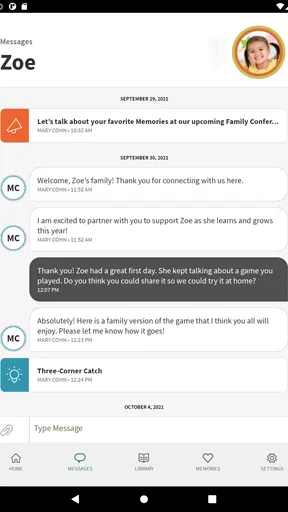
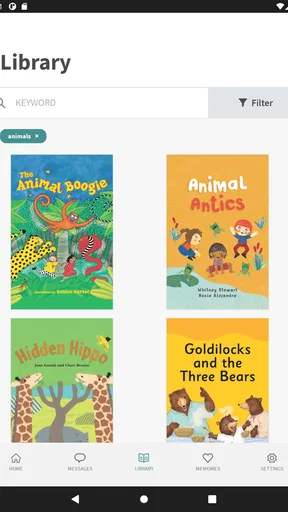
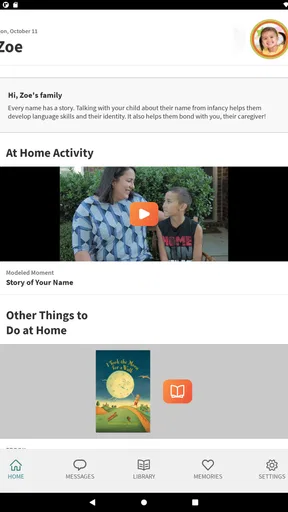
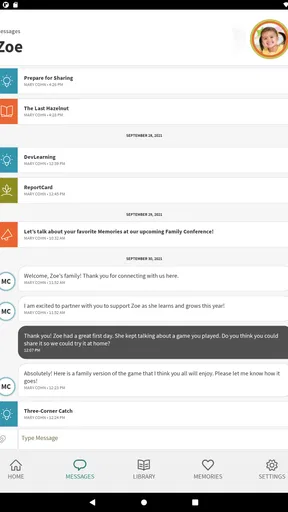
The available tools can vary by school, subscription, and account permissions, but Teaching Strategies Family may allow families to receive announcements, see messages from teachers, review classroom activities, access photos or shared observations, and follow information about a child’s learning progress. Some programs may also use it for family resources or event communication. The app is primarily a connection between home and school rather than a standalone educational game.
Is Teaching Strategies Family free to download and use?
The app may be free to download from the Android or iOS store, but access and available features depend on the participating educational program. Some schools or childcare providers cover the service as part of their technology platform, while others may have separate arrangements. Parents should ask their child’s provider whether any fees apply, what services are included, and whether additional access is required for other Teaching Strategies products.
How does Teaching Strategies Family handle photos, messages, and child information?
Because the app can involve classroom communication and child-related information, families should review its privacy policy and the permissions requested during setup. Access is normally controlled through individual accounts connected to the child’s program, but users should still protect their passwords and avoid sharing login details. Before downloading, confirm that the school has provided the correct account invitation and understand how shared photos, messages, and records are managed.


